With webflow becoming more an more relevant in the recent years, it is important to know how to quickly settup a form to help one send a PDF file to an audience when necessary.
Here is a simple solution that can help you achieve this with the least hassle possible.
Sending a PDF file in a email from a form
We are going to need a basic page in Webflow, together with your own domain name, and that will be all we need to make this happen. We are going to use the free service SendLouis.com.
Step 1
Head up to sendlouis.com and create a free account.
Step 2
Make sure you Add your domain and verify it, it takes 3 minutes
The service helps you send email from your own domain name. You will need to enter your domain name and the page will give you some DNS information to put in your registrar (namecheap or godaddy).
After this steps, click the verify button on sendlouis to confirm you added the given information to your registrar.
Step 3
Head to the integration page, press on the Webflow integration
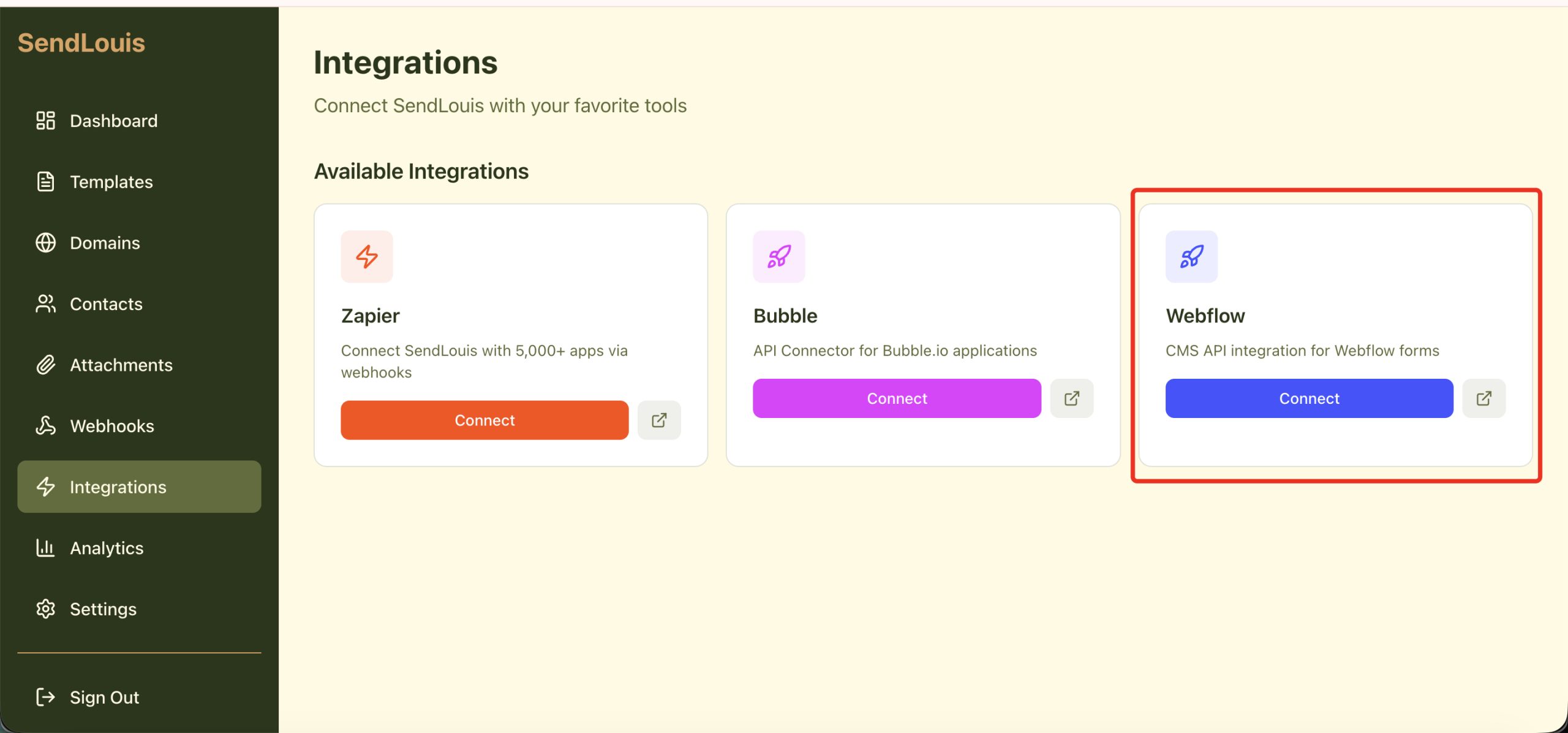
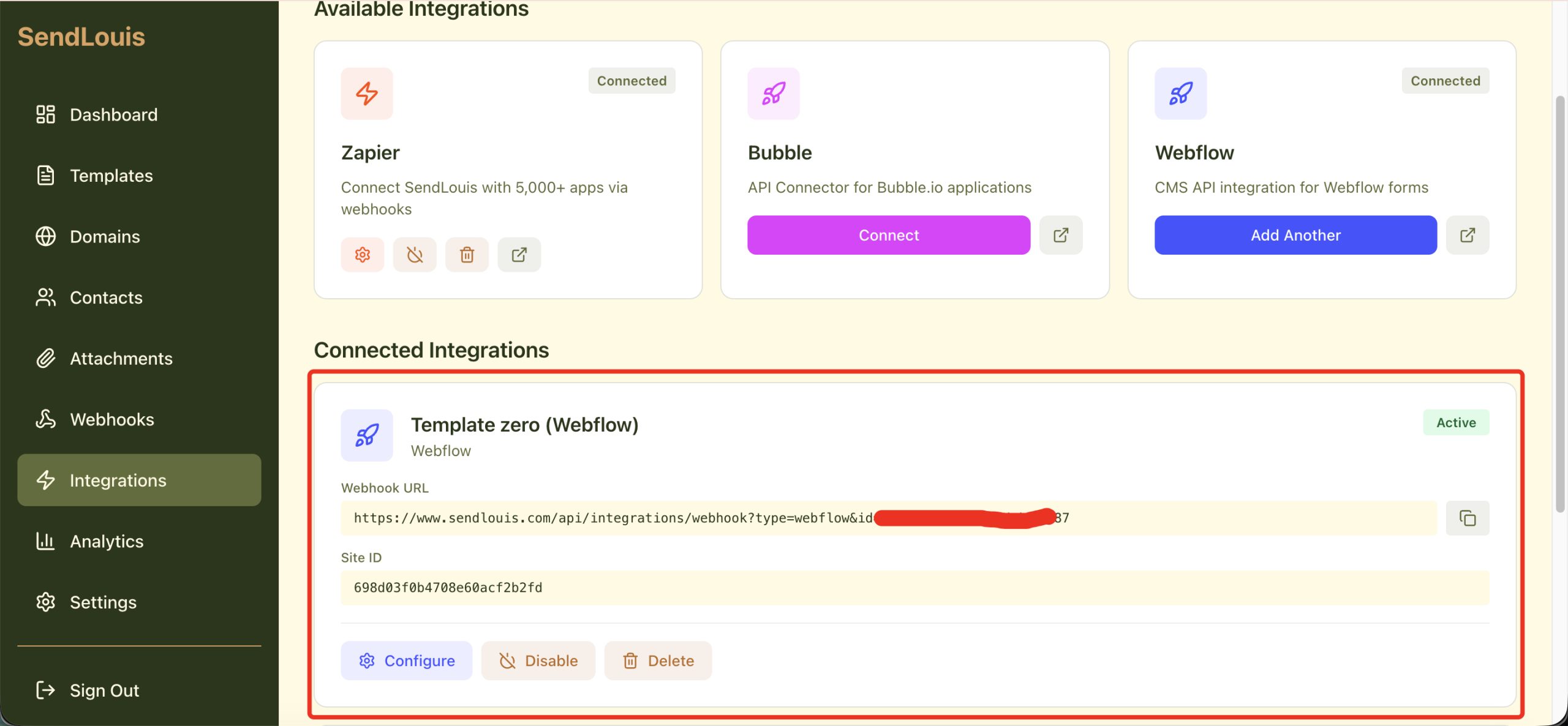
After connecting with webflow, the system gives you a webhook url. It will look something like this:
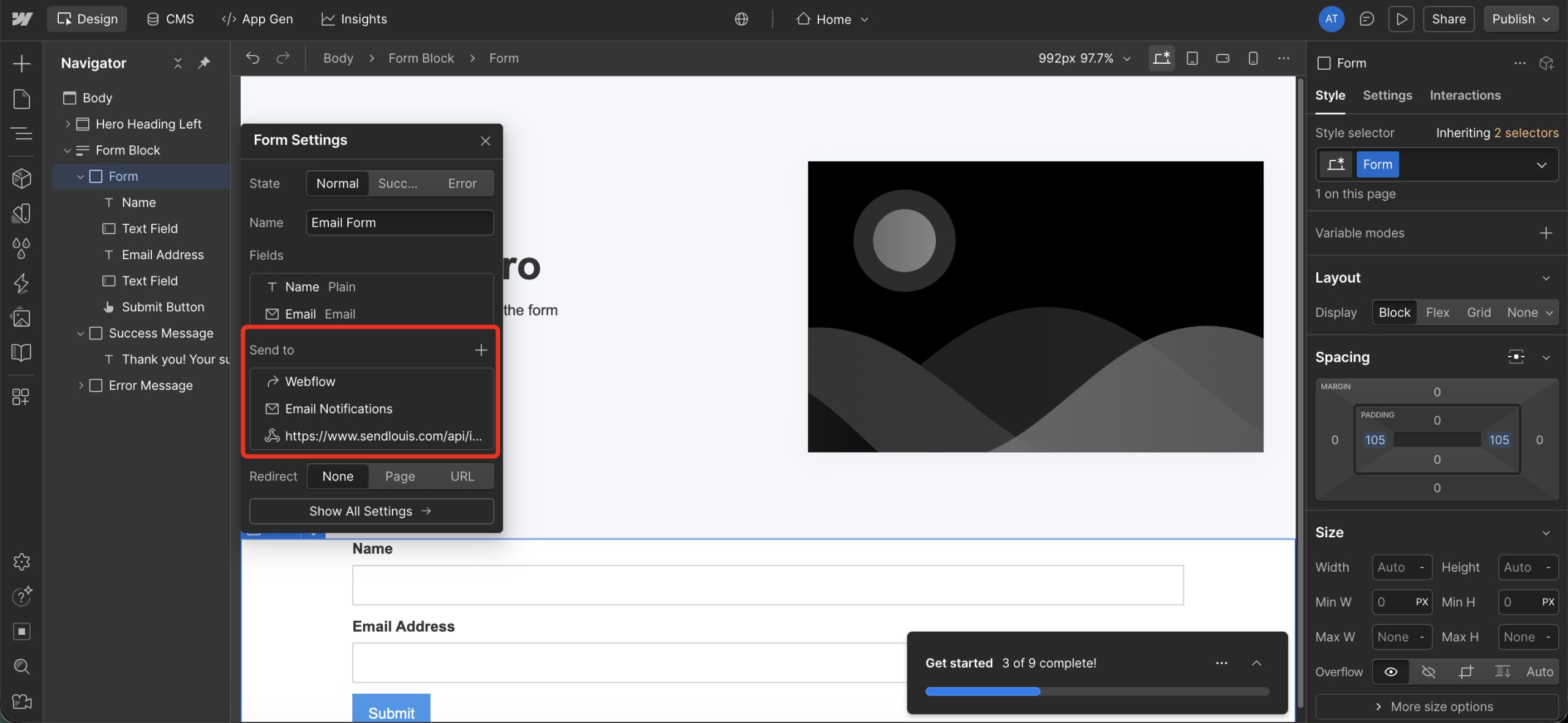
Now, copy the webhook url and paste in it in Webflow in the form setting
- Open the form setting
- Click on + icon close to the “Send to”
- Click on Webhook
- Paste the webhook url and that is
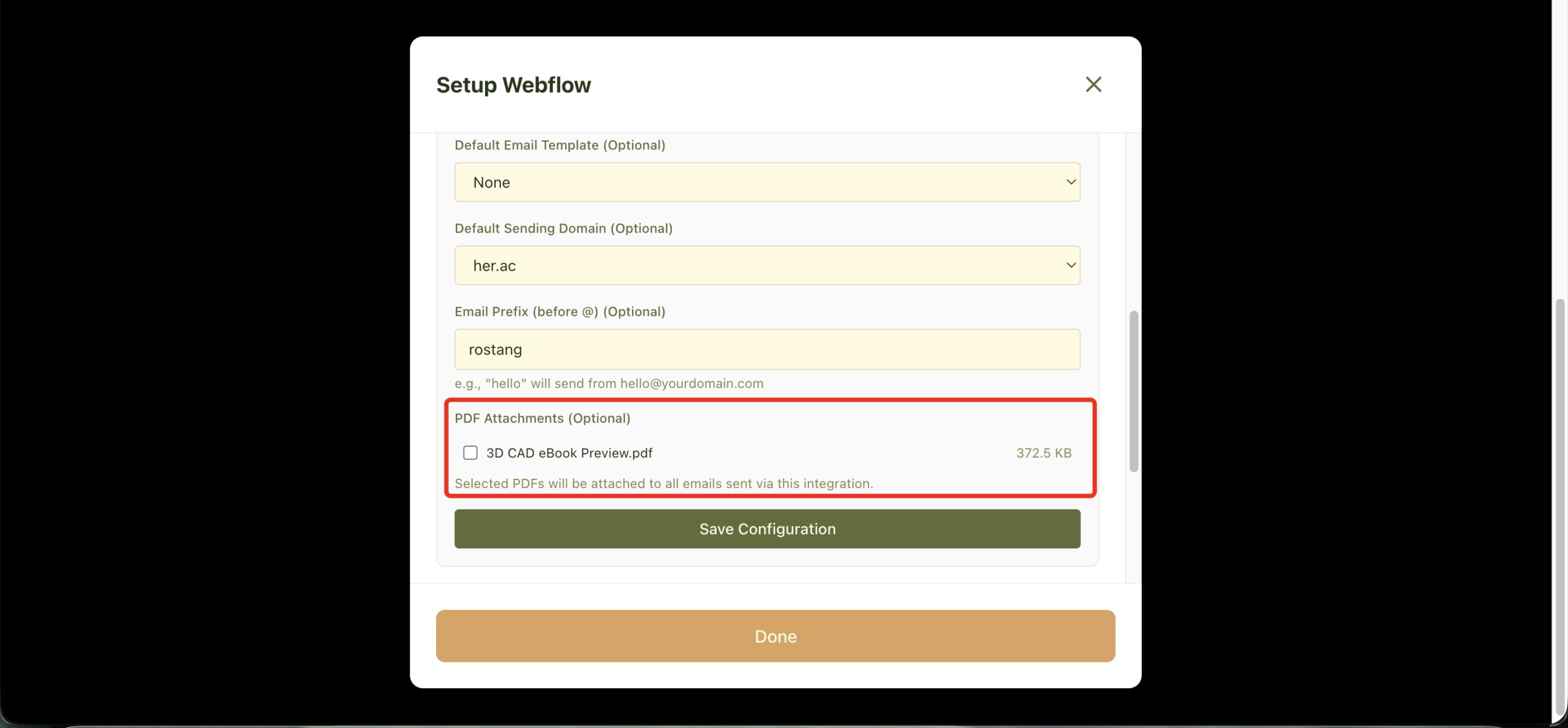
In the configuration of your Webflow webhook in SendLouis, make sure you added the PDF to be send together with your email for this to work.
Related posts:
 Step-by-Step Guide: Hosting Your React App on GitHub Pages
 Web Analytics vs. Mobile Analytics
 Master ReactJS checkbox ‘onChange’ events
 The Best Programming Language for Cross-Platform Mobile App
 What are the Disadvantages of NoSQL Databases?
 ReactJS Tutorial: Start Learning Today
 Understanding One-Way Data Flow in ReactJS
 How Keys Impact Performance and Efficiency in React Lists